HyperX Pulsefire Haste 2 Wireless Gaming Mouse

Feature
Styling
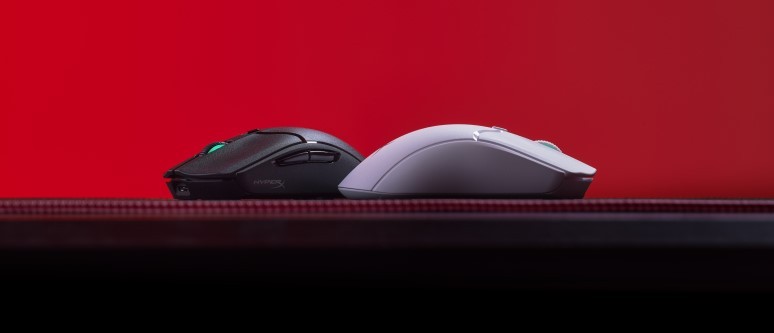
When it comes to gaming mice, most manufacturers choose the old Henry Ford adage that they come in any colour so long as it is black. Yes, they are often lit up in an assortment of colours thanks to RGB lighting, but primarily they are black. The HyperX Pulsefire Haste 2 Wireless, however, comes in two variations – black and white. Most of the peripherals I own follow the Henry Ford mantra, but the white version that we evaluated actually looked fresh when situated on my black mousepad.
The Haste 2 is ultra-lightweight at just 61 grams, enabling gamers to slide it across a surface without any issues. It also means that it won’t take up much weight in a backpack if you’re transporting it along with your favourite gaming laptop. The mouse does become slightly heavier when the USB dongle is inserted into the magnetised underside compartment of the Haste 2. This compartment again increases the portability of the mouse so that you won’t lose the dongle when travelling.
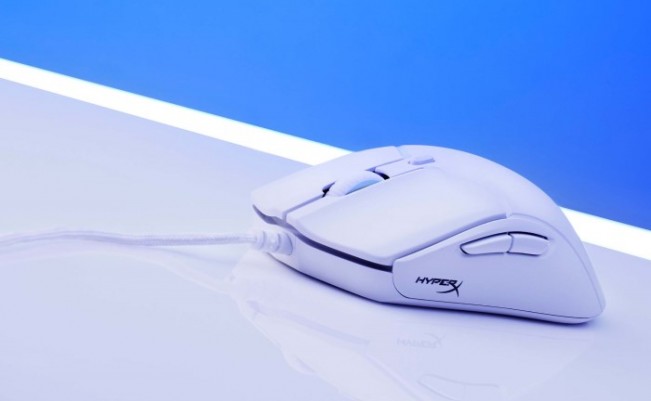
However, losing the USB dongle would not be the end of the world for the Pulsefire Haste 2. The reason…there are three connectivity options for the device. Apart from the USB dongle which can be directly plugged into your gaming device, the mouse can be connected via Bluetooth or can be connected via the included braided cable. The braided cable doubles as the charging cable but can also be connected to a wireless adapter that allows the USB dongle to be positioned closer to the mouse. This is handy if you have a desktop machine which is set up a distance from your playing area. I must admit, I am a huge fan of the Bluetooth connection, as it frees up valuable USB ports on my gaming laptop.
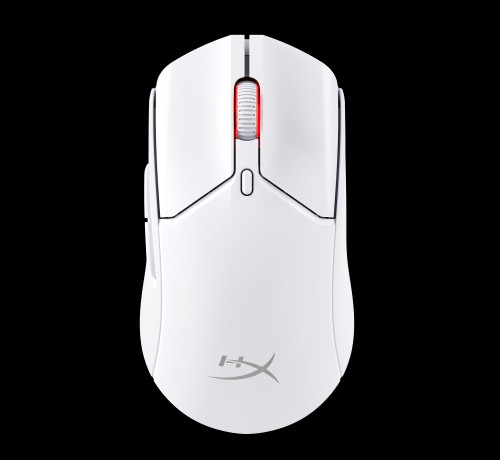
The mouse features six configurable buttons, the standard right and left mouse buttons, a scroll-wheel button, one situated below the scroll-wheel, and two thumb buttons on the left side. Despite the mouse being symmetrical in shape, those buttons on the left side of the mouse essentially decide that the device will not be suited for those who like to use their left hand to control the mouse. The standard left and right buttons are reasonably clicky when compared to other gaming mice with the custom HyperX switches. These switches are rated to 100 million clicks, so that can provide for lots of shots in your favourite FPS.
Comfort
For me as a Palm Grip user of a mouse, the Haste 2 is a comfortable size with the mouse sitting comfortably in my palm and my little finger resting on the side of the device and sitting on my mousepad. The two side buttons are almost perfectly placed, with my thumb resting on the gap between the two of them, allowing quick access to both. Other mice with side buttons require me to stretch slightly or adjust my palm position to activate one of the buttons, so to have these buttons placed in such a position that suits my comfort, is a bonus. However, if you have larger hands, you may need to use a claw or fingertip grip.
If you are a gamer who likes a better grip, the Haste 2 comes with Grip Tape that can be placed on the sides and atop the right and left mouse buttons. I usually find that these create a build up of dust or sweat over time, and so it is nice to have the option of whether you want them or not. Included also in the box is an extra set of mouse skates (blue for the white version of the mouse).
Features and Software
The HyperX NGENUITY software operates much like other peripheral software. It allows gamers to customise the RGB lighting on the mouse with a range of colours and lighting effects. I did find that the colours stand out more on the white mouse than they do on standard black mice, although it is only the scroll wheel area that has RGB functionality. If you own other HyperX devices with RGB functionality, the units can be synchronised together, which is a nice touch. The Pulsefire Haste 2 also has a battery life of up to 100 hours, although this is reduced if RGB is turned on. But having said that, in my two weeks of testing, I only needed to charge the device once and I had it always lit up.
The centre button by default switches the DPI on-the-fly between four pre-selected DPI settings. These setting can be customised within the NGENUITY software from as low as 200 up to a DPI of 26,000. The number of settings can also be adjusted, so that gamers can have up to five on-the-fly levels.
As mentioned previously, each of the buttons is customisable. The NGENUITY software is simple to use, allowing gamers to create macros for each button, allocate them to multimedia functions, or use them for Windows shortcuts. One thing that seems to be lacking is the ability to open specific applications with a touch of a button. For instance, with other mice, I have assigned a button so that the calculator or Steam opens upon pressing a button, but the HyperX software does not seem to allow this.
Verdict
Overall, the HyperX Pulsefire Haste 2 Wireless mouse works well, and I must admit that I do like the White version. I am not sure how long it will remain in a clean state, but until such time as dirt builds up, it looks great sitting atop my mouse pad. I love the three connectivity options, particularly as the USB dongle has its own storage compartment built into the device to enable easy portability with the knowledge that you won’t lose the dongle. And with a battery lie of up to 100 hours, that will ensure that gamers won’t have to charge up the mouse over a weekend trip away. The mouse buttons are a little too clicky for my liking, but they and the range of DPI settings provide for accurate button clicks over a prolonged period of time. The software does most tasks that gamers require including customising the RGB to their liking and creating macros for their favourite games.
In the Box
Pulsefire Haste 2 Optical Gaming Mouse
USB Wireless Receiver
Wireless Adapter
USB Charge/Data Cable
Extra PTFE Skates
Grip Tape
Quick Start Guide
As always, follow Hooked Gamers on Instagram for news updates, reviews, competitions and more.